
AI for document understanding: POs in, structured data out
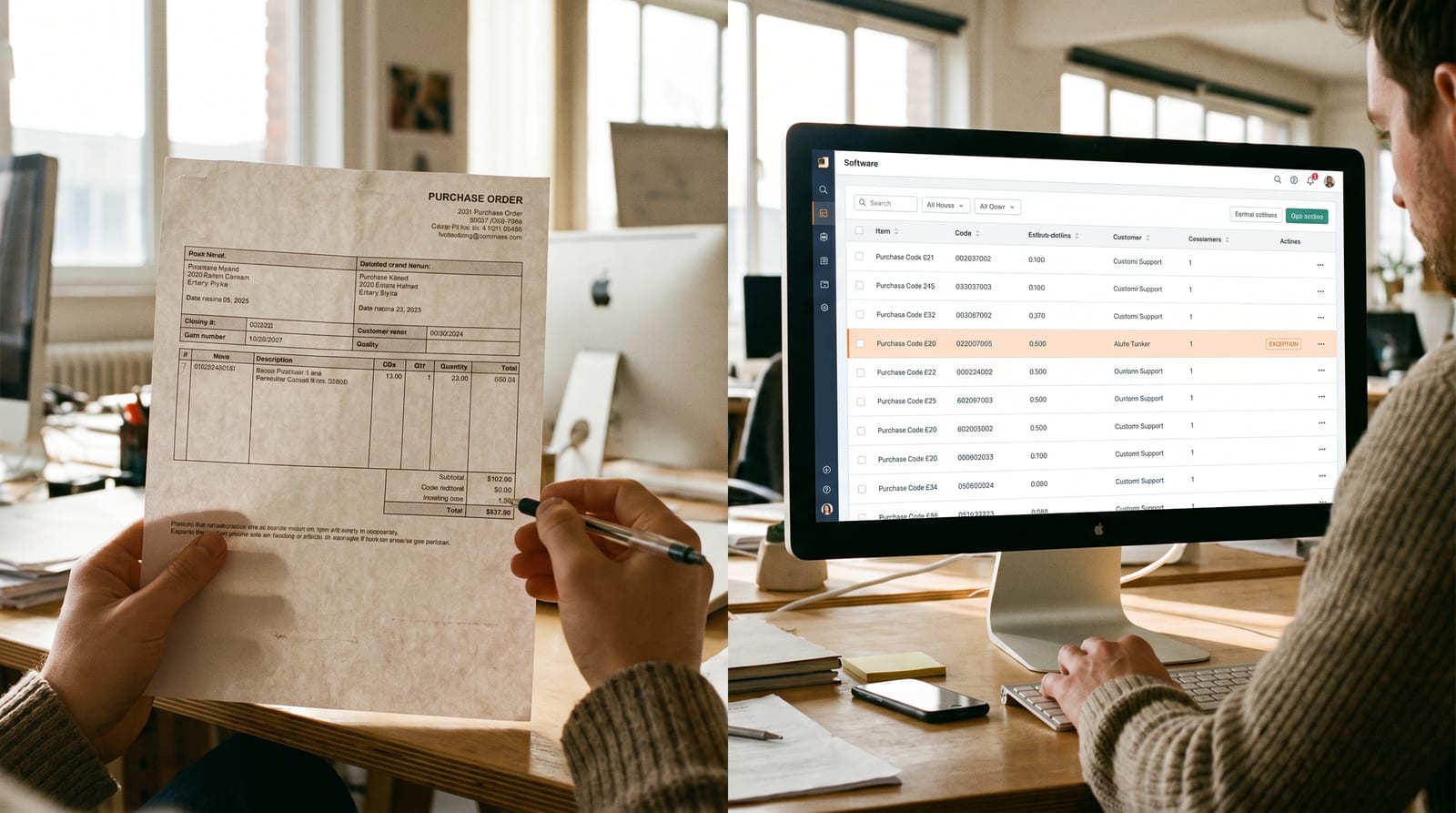
The pile
Look at the documents arriving at your business this week: purchase orders, invoices, delivery notes, supplier price updates, the long tail of "can you quote on attached?" emails with a PDF someone has to open, parse and act on.
Most of them get re-typed by hand into a system somewhere. A PO email arrives → someone opens the PDF → finds the customer → finds the products → keys it into the order tool → checks the pricing → routes it for approval if it's over £X → emails the customer back if anything is wrong.
In every business we've worked with that has a B2B order desk, this is where a meaningful slice of the team's day goes. It's also where errors creep in: wrong product code keyed, wrong shipping address picked, wrong price accepted because nobody noticed the customer is on the wrong tier.
This is one of the cleanest, fastest places AI is changing how a back office actually works. And it's a shape of project we've shipped a few of recently.
What "understanding" actually means
It's not just OCR. OCR turns the PDF into text. Useful, but not enough; text isn't structure.
Document understanding is the next step: pull the text apart into the right shape. "This is a purchase order from ACME Industries, their reference is PO-44521, they want 12 units of product code 12X-A delivered to their Birmingham depot by 14 May, the price they've quoted on each line is £18.50."
Once it's in that shape, every piece is something you can do something with: look up, validate, route, reply.
That's where the second piece comes in.
The bit that makes it actually useful: lookups via MCP
Reading a PO is the easy part. The reason it's never been particularly useful on its own is that the data on the document only means something in the context of the rest of your business: your customer list, your product catalogue, your pricing tiers, your existing ship-to addresses, your approval rules.
Connecting the AI to those is what an MCP server is for. We covered MCP in the customer-services post: the short version: it's a controlled, auditable way to give the AI a defined menu of lookups it's allowed to do against your business systems.
For a recent order-desk project, the AI's menu of lookups looked roughly like this:
- Find a customer: by name, account number, email domain, or fuzzy match
- Find a product: by SKU, description, supplier code, or partial match
- Get a customer's contracted pricing: for a specific product on a specific date
- Get a customer's known ship-to addresses: and compare against the address on the document
- Look up the approval rule: for this customer, this order value, this product category
- Run a credit check: against the credit reference agency for new or unfamiliar customers
- Search past orders: to spot whether the same customer has ordered this same shape of thing before
So when a PO email lands, what actually happens is:
- The PDF is read and the line items extracted.
- The customer is matched against the CRM. If it's not a clean match, a draft new-customer record is prepared (more on that below).
- Each product code is matched against the catalogue. If the customer used their own internal code, the AI checks whether we've seen that code from them before and links it.
- Each line price is compared to the customer's contracted price list for that product on today's date.
- The shipping address is matched against the customer's known ship-tos.
- The whole order is checked against the approval rules: does it need a sales manager's sign-off, a credit check, a stock check?
- A clean, structured order draft appears on the order desk, with anything that doesn't cleanly match called out as an exception.
The order desk used to be people typing. Now it's people reviewing. Different job.
Where the human steps in
This is the bit that separates "AI demo" from "AI we'd actually put in front of a customer". Every exception the AI surfaces routes to a person, with the work done up to the point of the decision.
A few examples from the project:
"We don't recognise this product code"
The customer uses "ACM-1240-X" but we sell it as "12X-A". The AI looks up the customer's prior orders, finds three previous instances where the same internal code was used and matched to the same SKU, and presents the order desk with: "Probable match: 12X-A. Confidence high. Confirm?", one click to approve, one click to reject and pick something else.
After enough confirmations, the link gets remembered. Next time ACM-1240-X comes in from this customer it's auto-matched at the extraction stage and never even surfaces as an exception.
"We don't recognise this customer"
A new buyer email comes in. The AI checks the email domain, the company name on the PDF letterhead, the registered address. None of it matches anything in the CRM. So it prepares a draft new-customer record: name, address, contact, and (because it's wired up to the credit reference API) a credit check report attached.
A salesperson opens it, glances at the credit summary, picks the right pricing tier, hits Create. The customer is in the CRM in under a minute, with the order ready to flow through behind it. The same task previously took half a day across three people.
"The pricing on this PO doesn't match what we agreed"
The customer's PO has £18.50 per unit. Their contract says £19.20 on this product since 1 March. The AI flags it, drafts a polite reply for someone to send:
"Hi Jane, small one to flag on PO-44521. The line price for product 12X-A is showing as £18.50, but your contracted price effective 1 March is £19.20. I've held the order pending; happy to proceed at the contracted price, or let me know if there's an updated agreement on your side I should be looking at?"
The order desk skims the draft, edits it if they want, sends. The order sits in "awaiting customer confirmation" until they reply.
"The shipping address doesn't quite match"
The PO says "Birmingham warehouse". The customer's known ship-tos are "ACME Logistics, Birmingham (DC2)" and "ACME Logistics, Tipton". The AI suggests the first as the closest match, with a note that 11 of the customer's last 12 orders went there. The order desk confirms with one click.
"This needs an approval"
The value puts it in "requires sales director sign-off". The AI routes it accordingly, with a one-line summary at the top: "£42,000 order, established customer, last 5 orders all paid on time", so the approver isn't starting from scratch.
In every case the AI has done the looking-up, the cross-referencing and the drafting. The person makes the call.
The same machinery, running for suppliers
Everything above runs in reverse for what comes in from your suppliers.
A supplier emails through their new price list (PDF, of course). The AI extracts it, matches each line to a product in your catalogue, compares the new price to your current cost price, and flags the deltas:
"Product 12X-A: new cost £14.10 (currently £13.80, +2.2%). Margin impact at standard sell price: ~1.1%. Suggest update."
Your buyer reviews the list, approves the changes that look right, queries the ones that don't, and the system updates your cost prices and recalculates margins on the affected SKUs. The same process that used to be "someone needs to find time to update the price list" now happens within hours of the email landing.
The same pattern works for delivery notes from suppliers, supplier invoices being three-way-matched to POs and goods-received notes, and quotes coming back when you've gone out for one. Document arrives → extracted → matched against your data → exceptions surfaced → human handles the exceptions, not the bulk.
What it changed
The numbers from the recent project, roughly:
- Average time to process a clean PO: ~8 minutes → under 30 seconds (no human action needed for ~70% of orders)
- Average time to process an exception PO: ~20 minutes → ~3 minutes (the looking-up is already done)
- Order-entry errors: down by ~80% (most of what's left is genuinely ambiguous)
- Supplier price updates: from "every quarter, when someone has time" to "within hours"
The more interesting change is qualitative. The order desk is no longer a typing job. It's a judgement job: confirming matches, handling exceptions, talking to customers about the awkward ones. The team's time goes to the bits that actually need a person.
The goal isn't to remove the human. It's to remove the typing.
Where to start
If your business has a back office full of inbound documents, the way in is roughly:
- Pick one document type: POs from your top 10 customers is usually the highest-leverage starting point
- Map the lookups: what does a person currently check before they accept that document into the system? Customer, product, price, address, approval rule. Each one is an MCP lookup
- Wire the output into the tool the team already uses: the order desk shouldn't have to learn a new piece of software; the structured draft should appear where the work already happens
- Pilot with a slice of real volume: a single team, a single customer's POs, real exceptions
- Tune from the rejections: every time a person edits a draft or rejects a match, the system should learn for next time
A first useful version is usually four to six weeks. Payback on the kind of order-desk volume we're talking about is generally inside a quarter.
If your team is spending more time keying documents than thinking about them, say hello.
InsideData
InsideData
More from the workshop
Why we spend a whole week on discovery before quoting
The two-week discovery sprint isn't a sales tactic. It's the only honest way to estimate a bespoke software pr...
Build vs buy: the question we get asked the most
After 20 years of these conversations, here's the honest framework we use to help businesses decide whether to...
AI in customer services: a draft on every reply
How AI changes the shape of a customer-services inbox: reading inbound messages, looking up the customer and o...
Let’s talk about your back office
Start with a free 30-minute discovery call. No slides, no sales pitch; just a real conversation about where your business is and where it could be.